Supreme Web Evolution
A step-by-step masterclass on building high-fidelity web storefronts with Fluxy.
Supreme Web Evolution
Fluxy Web is not just about rendering Flutter on the web; it's about creating Executive Minimalist experiences that feel native to the browser. This guide walks you through building a premium storefront header and a cinematic hero section.
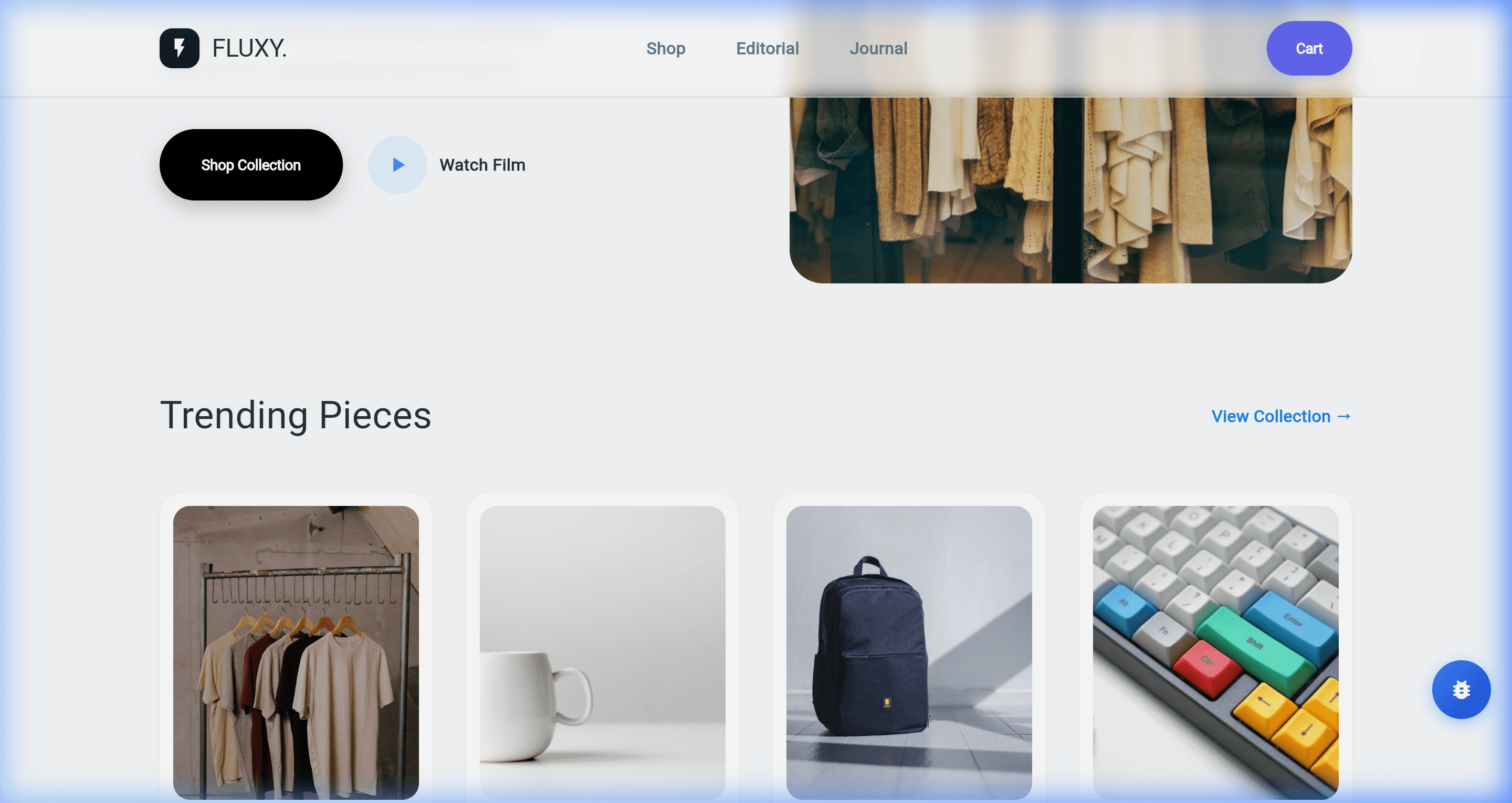
The Evolution Workflow
The Master Layout
Every premium website starts with a stable, responsive shell. Fluxy provides the WebLayout primitive to handle standard web behaviors like fixed navbars and scroll-aware headers.
class StorefrontShell extends StatelessWidget {
  @override
  Widget build(BuildContext context) {
    return Fx.shell(
      navbar: _buildNavbar(),
      child: Fx.scrollable(
        child: Fx.col(
          children: [
            HeroSection(),
            ProductGrid(),
            Footer(),
          ],
        ),
      ),
    );
  }
}
The Cinematic Hero
The hero section is the heart of a "Supreme" website. We use high-resolution imagery and the Fluxy Media Engine to create a lasting first impression.
Fx.box(
  style: FxStyle(
    height: 550,
    width: double.infinity,
    radius: 32,
    clipBehavior: Clip.antiAlias,
  ),
  child: Fx.image(
    'hero_landscape.jpg',
    fit: BoxFit.cover,
  ),
  overlay: HeroOverlayContent(), // Adding text and buttons on top
)
Interactive Media Overlays
The highlight of the Fluxy Supreme update is the Cinematic Modal. This allows users to transition from a static image to a full-screen video experience seamlessly.
Fx.button(
  label: 'Watch Film',
  icon: Icons.play_arrow,
  onTap: () {
    Fx.modal(
      context,
      child: Fx.video(
        url: 'brand_story.mp4',
        showControls: true,
        autoPlay: true,
        muted: false,
      ),
    );
  },
).tw('bg-white text-black rounded-full px-8 py-4')
Responsive Refining
A Supreme website must look perfect on iPhone, iPad, and 4K Displays. Fluxy makes this effortless using the Fx.isMobile(context) utility.
double heroHeight = Fx.isMobile(context) ? 400 : 550;
double padding = Fx.isMobile(context) ? 16 : 48;

Fx.box().h(heroHeight).p(padding);
Summary of New Web Features
| Feature | Industrial Benefit |
|---|---|
| Kinetic Modals | Floating dismiss buttons that are never blocked by content. |
| Source-Aware Media | Automatically switches between local and network assets. |
| Engine Stability | Fixed window.dart engine assertions for rock-solid performance. |
| Chainable DSL | Build complex UI sections in half the code. |